Elevate Your Screenshot Game with Win+Shift+S!
Hello office dynamos! 🚀 Ready to revolutionize your screenshot skills? Say hello to Win+Shift+S—the secret weapon for today's digital heroes. Let's explore the magic of Win+Shift+S and discover how it can be your ultimate solution for effortless and precise screen captures.
The Win+Shift+S Marvels
📸 Precision Screenshots: Pinpoint Your Focus
Win+Shift+S is not your run-of-the-mill screenshot tool; it's your precision ally in the digital landscape. Handpick the area you want to capture, leaving the digital noise behind. No more accidental desktop drama!
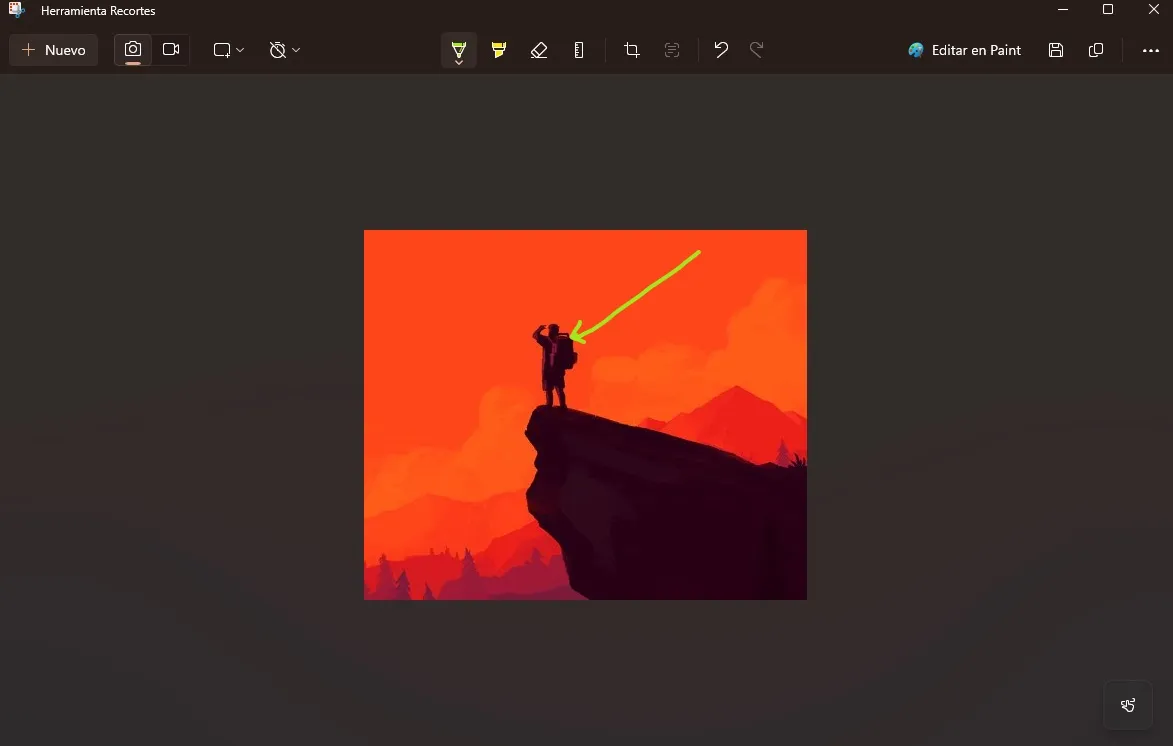
🖋️ Annotate with Ease: Enhance Communication
Ever wanted to highlight a specific detail in your screenshot? Win+Shift+S lets you annotate on the fly. Add arrows, circles, or even a touch of flair to convey your message with crystal clarity.
⏰ Swift Share: Collaborate Instantly
No more hunting for screenshot files. Win+Shift+S copies your capture pronto, ready for instant sharing. Paste it into emails, chats, or presentations—collaboration just got turbocharged!
How to Summon Win+Shift+S Magic
- Trigger Win+Shift+S: Activate the screen-snatching sorcery.
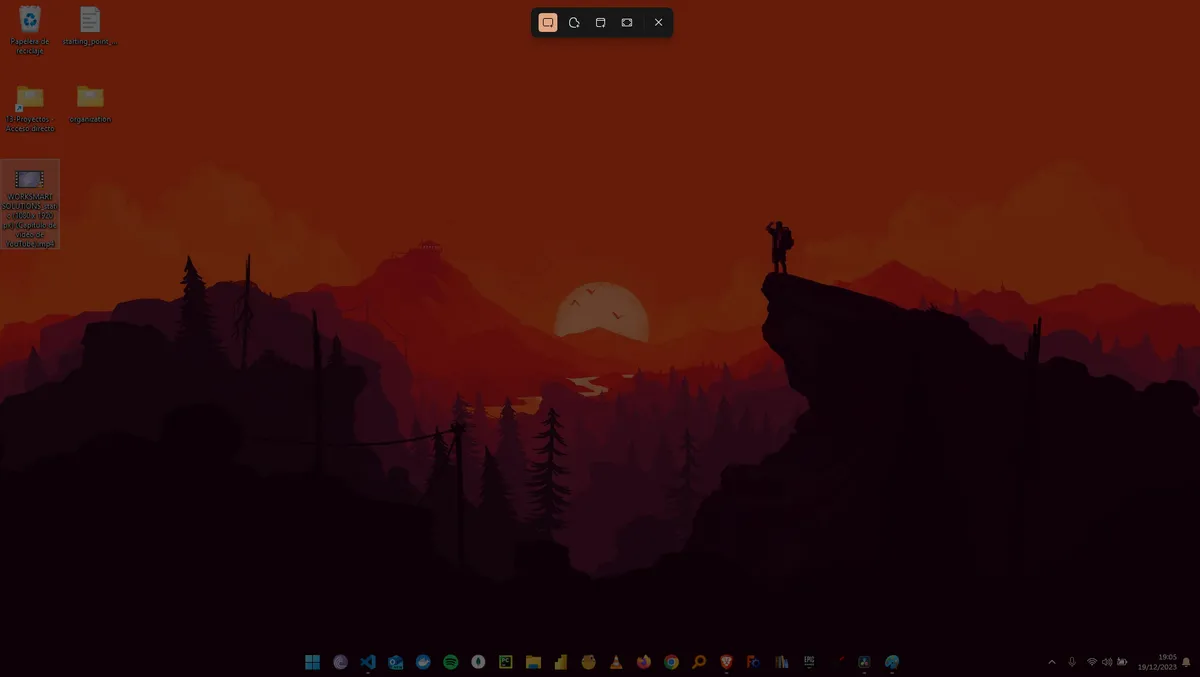
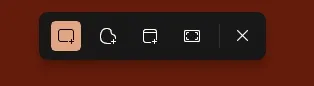
- Select Your Zone: Snag the exact region you desire.
- Optional Annotations: Highlight and enhance for added clarity.
- Paste and Share: Ctrl+V your masterpiece wherever it's needed.
Other ways
| Shortcut | Function |
|---|---|
| IMPR PANT | Normal screenshot. Saved to the clipboard. |
| ALT + IMPR PANT | Capture of the active window. Saved to the clipboard. |
| WIN + SHIFT + S | Opens options to choose the capture area. Clipboard save. |
| WIN + IMPR PANT | Full-screen screenshot. Automatically saved to a folder. |
In Conclusion
In the ever-evolving realm of office tasks, Win+Shift+S is your digital dynamo. Experience the transformation of your screen-capturing endeavors. Your future, screenshot-savvy self will applaud you with a standing ovation! 🎬👏
So, bid farewell to outdated screenshot methods—embrace Win+Shift+S and screenshot like the digital hero you are! 🦸♂️🚀