Unleashing Windows Whimsies: More Shortcuts, More Chuckles! 🚀🪟
Ahoy, Windows enthusiasts! 🪟 Today, we're embarking on a journey through the wild world of Windows shortcuts. Whether you're a keyboard wizard or just want to entertain your mouse, these shortcuts are here to add a sprinkle of hilarity to your Windows escapades.
Shortcut Shenanigans
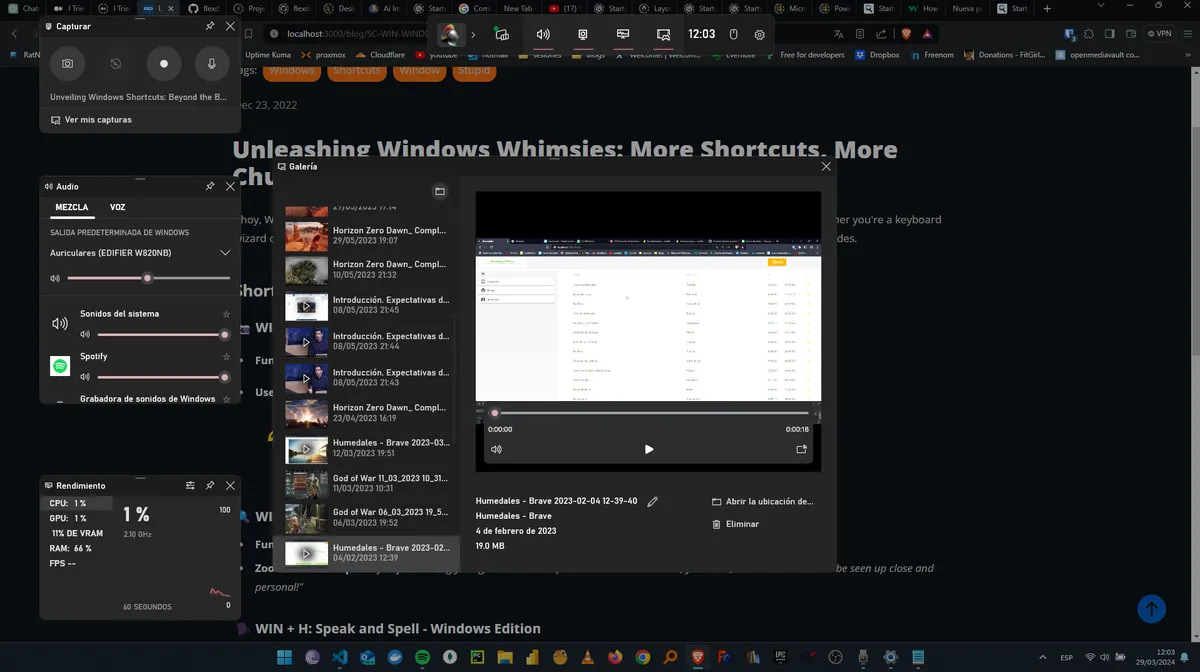
📸 WIN + G: Snap, Capture, and a Dash of Drama
Function: Unleashes the Game Bar for epic screen capture and recording.
User's Wisdom:
"I use it to capture work demos. Because, let's be honest, I'm not winning any 'Teacher of the Year' awards."*
🔍 WIN + +: Zooming into the Mundane
- Function: Zooms in and out, turning the ordinary into the extraordinary.
- Zoom Master's Tip: "Perfect for showing your grandad how to print the internet. Because, you know, the internet needs to be seen up close and personal!"
🗣️ WIN + H: Speak and Spell - Windows Edition
- Function: Activates Text-to-Speech, giving your computer a voice.
- User's Discovery: "Discovered this gem and realized my computer can understand me. But beware, You must check if your language is supported"
🔒 WIN + L: The Great Escape - Computer Edition
- Function: Locks your computer for those times when you need a digital escape.
- IT Guru's Advice: "Your IT guru recommends WIN + L. Because even computers need some 'me time,' especially when you're on lunch break."
🚪 WIN + R: The Magical Runway
Function: Opens the Run dialog, revealing the secret runway to Windows wonders.
Unlock the Magic: "It's not just a 'Run' dialog; it's a magical runway to the tech wizardry! Here are the top 5 spells every sorcerer should know:"
cmd: Summons the Command Prompt.msconfig: Conjures the System Configuration utility.appwiz.cpl: Teleports you to the Programs and Features wizard.devmgmt.msc: Unveils the enchanted Device Manager.control: Opens the mystical Control Panel.
⌨️ CTRL + ESC: The Jestful Key to the WIN (jajaj only if you don't have the WIN key)
- Function: Opens the Start menu (legacy).
- User's Humor: "It's like knocking on the door when you have a key. 'Hello Start menu, I'm here. Oh, wait, I have the WIN key!' Jajaj!"
Conclusion: Shortcut Stand-Up Comedy 🎤
Windows shortcuts aren't just keystrokes; they're punchlines in the comedy show of computing. So, why not jazz up your Windows routine? Experiment, giggle, and let the shortcuts bring joy and a dash of silliness to your tech journey! 🪟✨
Have a favorite shortcut joke of your own? Share it in the comments below! Happy shortcutting and keep the laughter rolling! 🚀🪟 #WindowsShortcuts #TechComedy