If you’re anything like me, your digital life is a mix of pride, geekiness, and a massive investment of time. You’ve got your Docker containers, your home automation, and most importantly—years of family photos and memories. Everything works perfectly until one day, without warning, a hard drive makes that dreaded "clack" and dies.
In that moment, there are only two types of people: those who had a solid backup system and those who are about to lose it all.
After a close call (and a near heart attack), I decided to move into the first group. I refused to let my digital sanctuary, built with so much care, vanish due to a hardware failure. So, I did my research and built a backup strategy based on the gold standard: the 3-2-1 Rule.
What exactly is the 3-2-1 Rule?
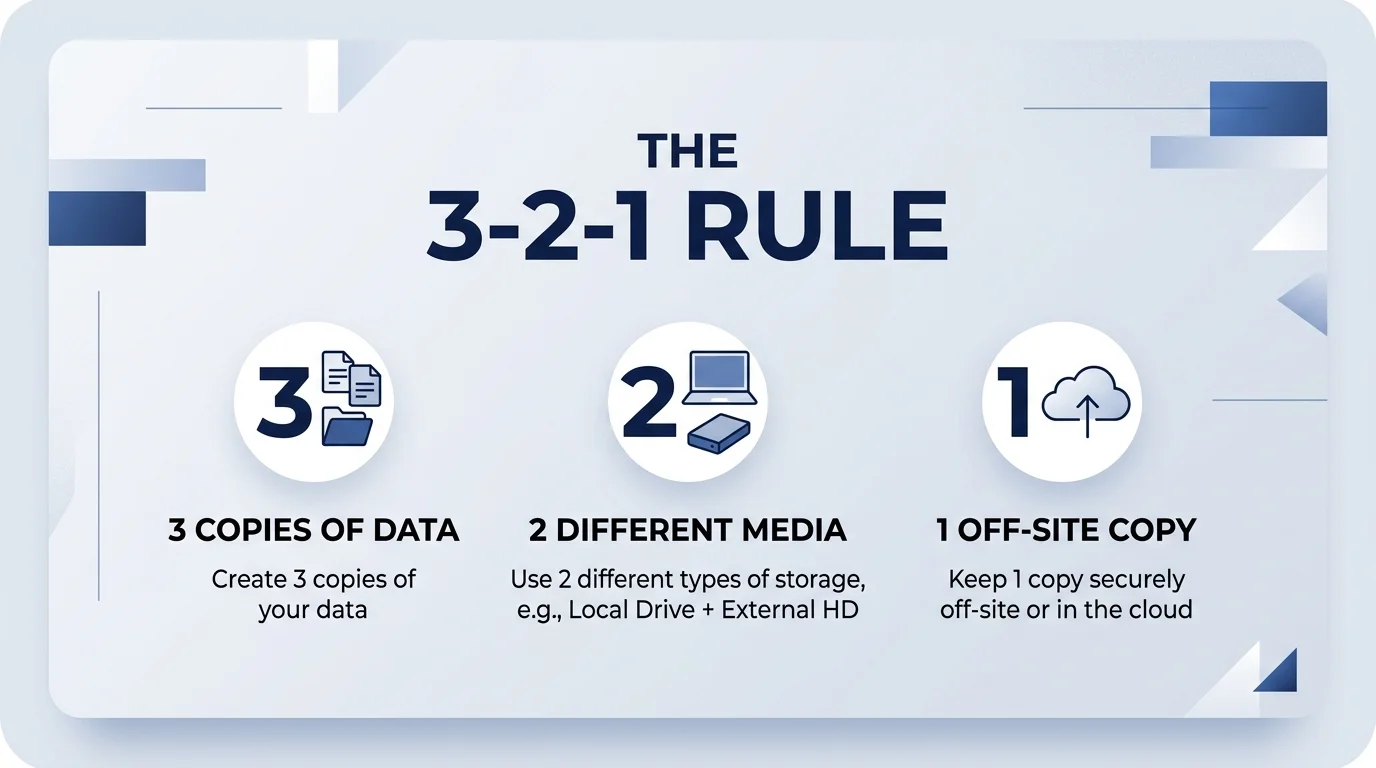
The concept is simple but incredibly effective. It means that for any critical data, you should have: /
- 3 copies of your data.
- Stored on 2 different types of media (e.g., a NAS and an external hard drive).
- With 1 of those copies off-site (in the cloud or at another location).
It might sound like a lot of work, but setting it up correctly once means you can sleep peacefully forever. And that, my friends, is priceless.
My Personal 3-2-1 Implementation: NAS, Cloud, and Physical
Here is how I apply this rule to my most valuable asset: my photo library.
Copy 1: The Synology NAS (The Primary Local Storage)
This is where all my photos live day-to-day. My Synology NAS acts as the central hub for my homelab and personal data.
- What is it? A dedicated server with multiple drives in a RAID configuration.
- Why use it? It provides fast access within my home network and protects against a single drive failure. It’s the "active" copy that I use to organize and view my photos.
- The Process: Every photo from my phone or camera is automatically synced to the NAS. It’s my ground zero.
Copy 2: Amazon Prime Storage (The Cloud/Off-site Copy)
This is the final piece of the puzzle and the one that saves you from a total disaster. Even if my house were to burn down, my photos would still exist.
- The Service: I use Amazon Prime Storage. Since I’m already a Prime member, I get unlimited full-resolution photo storage for free. It’s a no-brainer.
- The Process: I use Synology’s "Cloud Sync" (or similar tools) to automatically upload every new photo added to my NAS directly to Amazon’s servers. It happens in the background, completely hands-off.
- The Benefit: This fulfills the 1 off-site copy requirement. It’s my ultimate safety net.
Copy 3: The External Hard Drive (The Second Medium)
To satisfy the "2 different types of media" part of the rule, I keep a physical, disconnected backup on an external hard drive.
- The Hardware: A simple, high-capacity external HDD.
- The Process: Once a month, I plug this drive into my NAS or computer and run a manual sync. Once the backup is done, I unplug it and store it in a safe place.
- Why it's important: Because this drive is mostly offline, it’s protected from power surges, ransomware, or accidental deletions that might sync across the NAS and the Cloud. It is a "cold" backup that provides an extra layer of physical security.
Conclusion: Sleep Like a Baby
And there you have it. With this system, I have:
- 3 copies: The original on the NAS, the one in Amazon Photos, and the one on the external HDD.
- 2 media types: The internal NAS drives and a separate external USB drive.
- 1 copy off-site: Everything is safely tucked away in Amazon’s data centers.
Building this system takes a little bit of time and a small investment in hardware. You need to configure your NAS, set up your cloud sync, and remember to plug in that external drive occasionally. But the peace of mind you get knowing that your memories are safe—no matter what—is the best feeling in the world.
So, if you have photos you care about, don’t be lazy. Set up a backup system. Your future self will thank you when a drive inevitably decides to retire without notice.